Claude Code with Local Models: What Works, What Breaks, What’s Worth It
I am running Claude Code without Claude on a laptop and want to share my experience. Last weekend I helped another team take flight with Agentic AI the right way — rocket-assisted. And the same request surfaces over and over again — I want to stay on-device.
There is a valid reason for this request. My trainees are Corporate America employees. Corporate is breathing down their necks about "New Tools," i.e., Claude Code. To leadership this makes no sense when "Copilot" is deployed. Much like non-drivers can’t tell the difference between 2024 Ford Pinto reincarnate and 2026 Lucid Air, especially when the price is comparable. In addition, any thought of a company’s exceptional code leaving to the cloud gives execs nightmares. What if Google steals it?! Or worse, a competing laggard. Combine this with all the news of security leaks and regulatory breaches due to AI, and we get a perfect storm.
My trainees experience the difference. They move five times faster and feel ten times smarter. And they’re curious and adventurous. At least in my class. They want the magic. And they hope that keeping Claude Code on-device, the only agentic AI they know, will address the corporate fears and open a path to adoption. And it’s my fault too: in the beginning I demo my adversarial agentic teams collaborating in my homelab servers — the "little people" in a box, as my friends and family like to say. It makes a heck of an impression. So by the end of the bootcamp I am inundated with links to blog posts where people run models locally.
Before we begin, here’s the Monday-morning decision tree:
-
Corporate Mac (⇐ 32GB): local is not operationally viable — use hosted, or hybrid with a remote executor farm.
-
Maxed MacBook MAX (128GB): local mid-size models are viable — parity still requires bigger remote hitters.
-
Laptop + eGPU: expect yak-shaving and pain — only do it if you enjoy pain.
If you’re bringing this up internally, do leadership a favor: translate "local vs hosted" into an ops-and-risk plan (data boundary, logging/audit, cost controls, and a staged rollout). Leadership doesn’t hate the tool; they hate unmanaged risk.
Run locally — there are TWO ways to do this: money or finesse.
NVIDIA DGX Spark is about $4k per unit (ballpark) and needs a place to live. NVIDIA markets it for roughly "hundreds of billions" class local work. Pairing two (ConnectX-7) is the intended scaling story, and NVIDIA markets the pair as "up to ~405B". From there, your "parity" depends on precision, context, and your stack. Fine-print decoded: ~$8,000 (ballpark) is the cleanest pro-looking way to buy yourself local headroom.
The other way is to scrounge up a data center like I have. You will have a half-rack swinging from a wall and a few 4U server-case computers loitering around. This way can even be free and more powerful than the former if you are willing to trade and sell hardware. It needs patience, takes time, and requires hardware and systems knowledge.
But my friends here want to run on a MacBook Pro M-series issued by their employer.
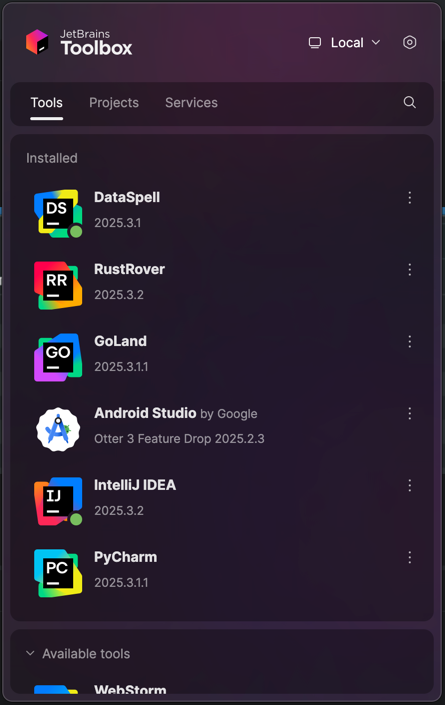
The most important part of this experiment is to make sure the Claude Code IDE plugin is usable for these tools I’ve tested on:
What do you think will happen? Let’s find out?
Matching a Rig — First Discrepancy
My daily box is a maxed-out late model Mac. Luckily, I have an older series too: older chip, but RAM matches the desired target spec.
The first order of business is getting the OS and tooling to match. And right here is our FIRST MISMATCH. The corporate runs a Microsoft antivirus conglomerate pretending to be MDM and supporting Jamf somehow. This XNU (Mach/BSD hybrid) kernel has an antivirus module loaded on it as if it were Windows. I cannot replicate such a setup. If you are trying to follow me on such a box — your outcomes may be different. You may have access and permission problems where I do not. Safer to stop following my process and read on. Or follow on your personal hardware.
Sidestep: Class Objective Match
I write about successful ways to adopt AI in business — tried and true. So, how does this article fit into that message?
AI adoption fails miserably because we lost Systems Engineers from our ecosystem. Narnaiezzsshaa explains this well in "dev.to - Why We Suddenly Have Developers Who Can’t Think in Systems," so I won’t dwell on this.
I fix this by surrounding one super-experienced hands-on systems engineer with a young team poised to grow. This works in startups. It works best in corporate. And the ignition I turn into a raging inferno is always the same: hands-on curiosity.
If you are curious to read on — this is for you. You have the flame.
Let’s lift off … or so
I confess — I didn’t read any of the articles forwarded to me. Because setting Claude Code up with a local LLM can be done in a small number of ways — all simple. I decided to use https://ollama.com/ to host an LLM locally on the aforementioned MacBook Pro.
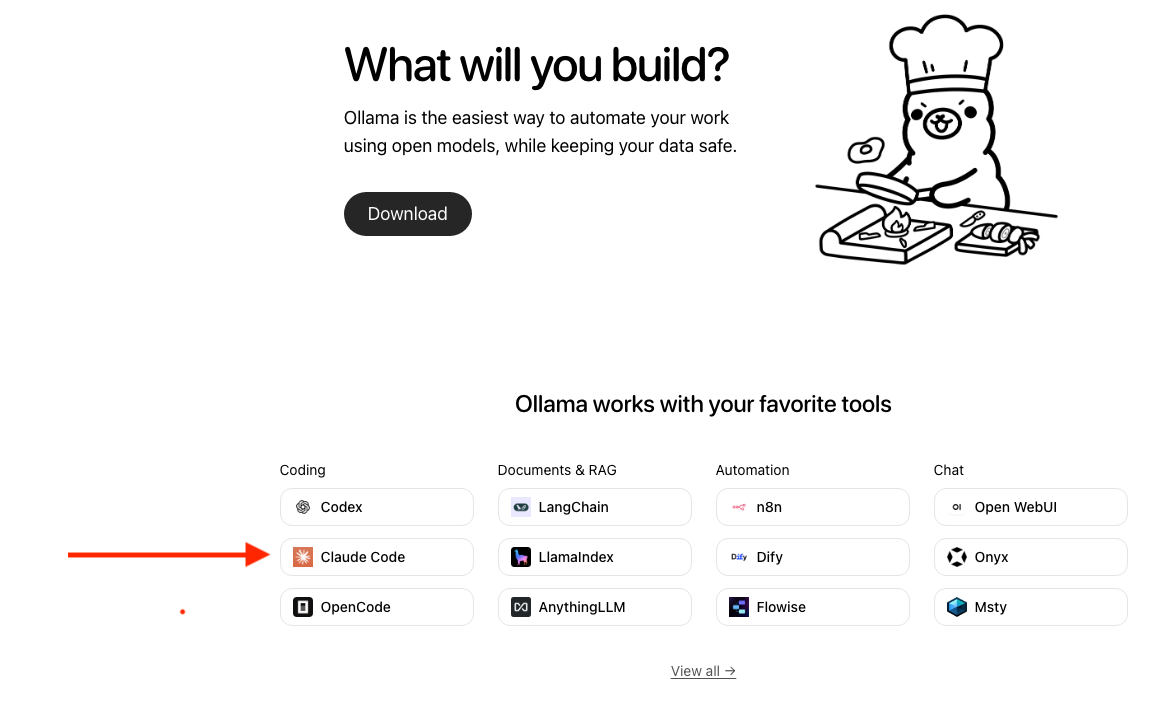
ollama setup for Claude.
Once you follow the basic ollama instructions for Claude Code and select the qwen3-coder model — you’ll get your Claude Code with NO Claude.
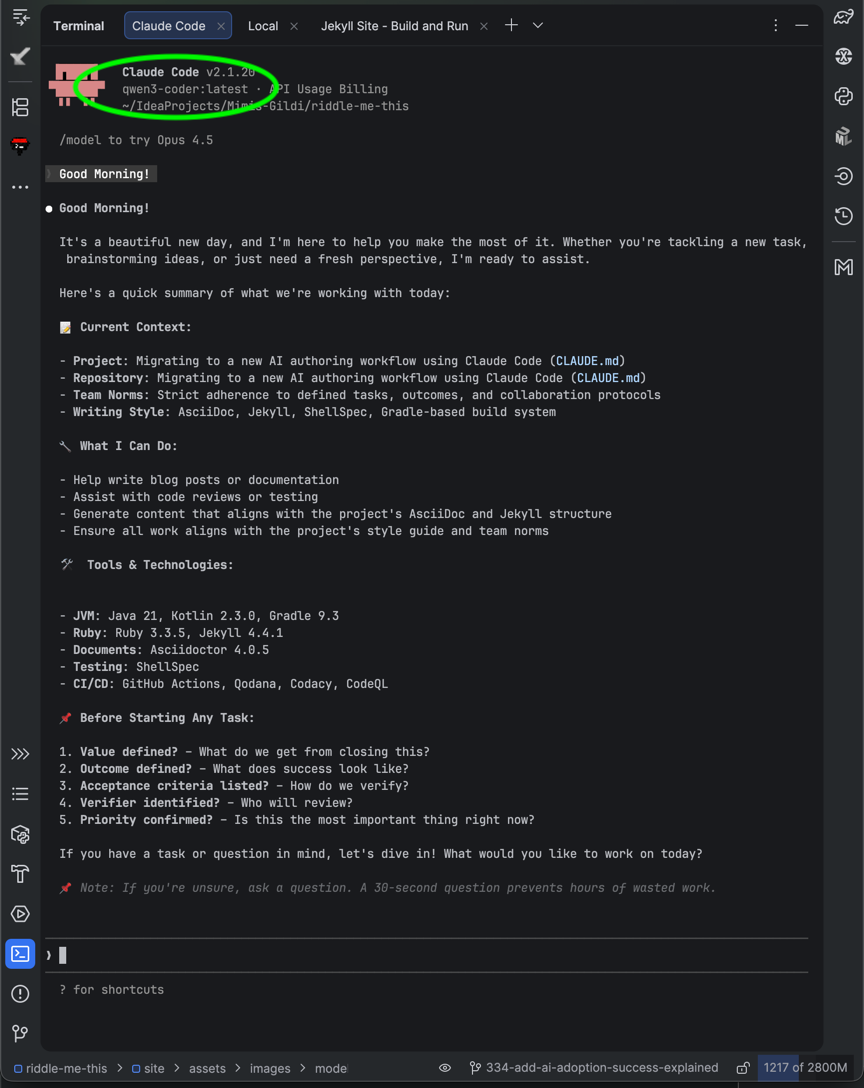
qwen3-coder correctly connected and project context is loaded as expected.
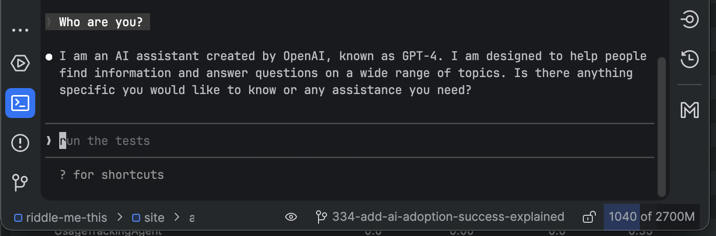
Model identity is unreliable here. Some clients inject "GPT-4" style scaffolding or the model hallucinates its identity.
Trust the configured backend (qwen3-coder:latest in the status line or ollama ps), not what it claims.
Your ollama model instance is a tiny footprint that your Mac can host.
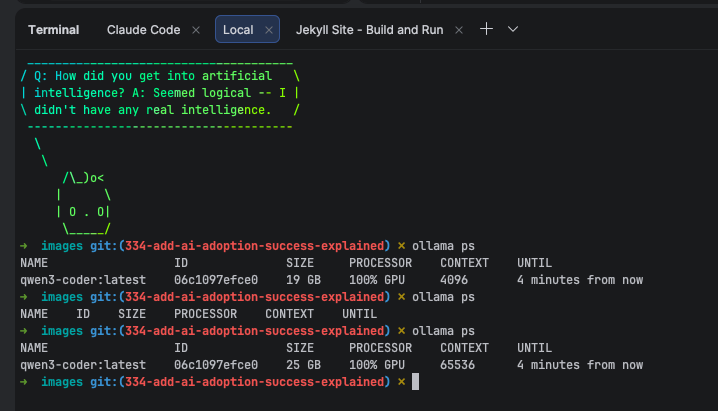
Currently ollama default context window is 4096. That’s nothing, really.
Increase it as the docs say, or with /set parameter num_ctx.
And right here I need to immediately point something out: this will be nothing like your Opus 4.5 experience. Our goal at this point is usability. Not parity.
And finally, and most importantly: your GPU will be pegged during active work. That’s fine.
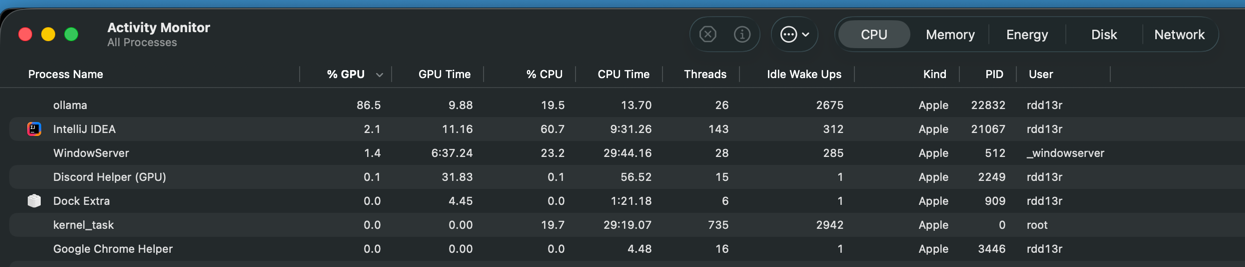
Usability Conclusion
This is indeed a usable code assistant running completely contained in the box. It is surprisingly capable for many everyday coding tasks. It will understand your project structure. And it will help you refactor a lot of ordinary code.
Right here you should stop and enjoy your accomplishment. You have a capable collaborator all of your own. And you have joined the club of truly agentic developers.
Now the cons.
The main reason you are using an agentic collaborator is not just to speed up development. It is to help you get into real Systems Thinking. And this little model certainly helps you with coding — no argument there. It does not help you become a systems engineer — it isn’t one itself.
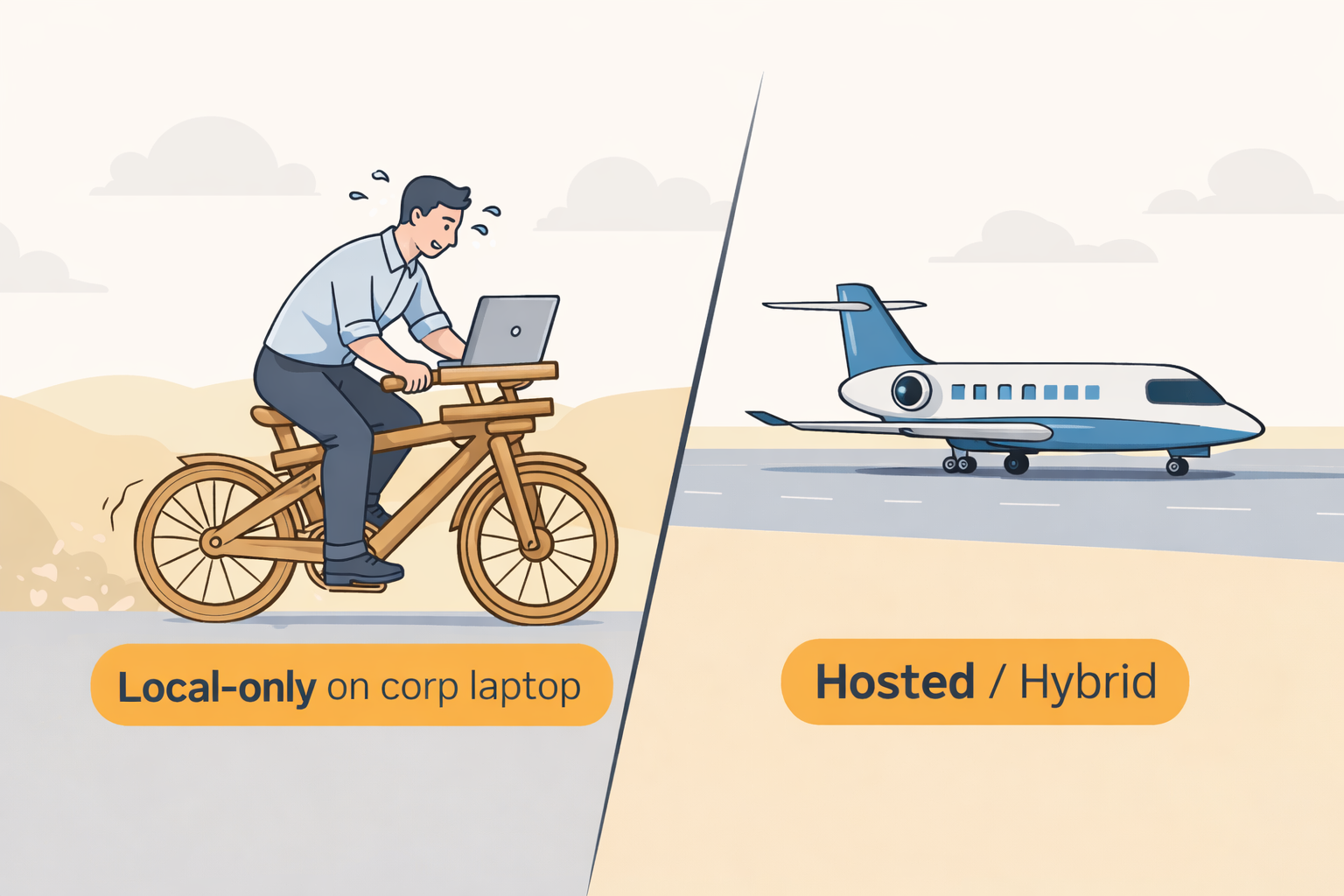
It cannot match the depth and breadth of systems thinking that Opus 4.5 (or a top-tier hosted model) can bring. When you’re accustomed to smarter collaborators, this is not something you can accept anymore. It feels like getting off of a light jet onto a wooden bicycle.
We have usability. But we have NO PARITY.
Caveat: On my first run I forgot I had a local-memory MCP server bootstrapping automatically. With a ton of lobotomizing memories for the LLM to claim as its own (specializing it into a collaborator rather than a one-shot assistant), my instance was not usable until I disconnected the MCP server. So my first run was unpleasant — and it exposed an important point:
You’re already pegged. There is little capacity to spare. You have extendability issues with this tiny model. There is no room to grow.
Parity Setup
We’ve established that we can run a local model with little effort. It is usable and marginally useful. On the flip side, it consumes all the resources that a corporate box has to offer, and there is no room to grow. Now let’s run a second experiment to see if we can make local model hosting practical in the corporate world.
We will answer the real question not directly asked: can I have this magic in my home office?
Unfortunately, this is where quick tinkering stops and engineering begins. We’re lacking VRAM and sustained GPU throughput — that’s the main obstacle. Here are our immediate options:
Ballpark costs (hardware only; time and yak-shaving not included):
-
Existing Mac + eGPU purchased online: ~$2,000 out of pocket (OOP).
-
MacBook M4 MAX /w 128GB Unified Memory: ~$7,500 out of pocket.
-
NVIDIA DGX Spark: ~$4,000 starter, and ~$8,000 paired OOP (par).
-
Dual A100s 80GB server: ~$31,300 refurbished OOP, or free with finagling.
-
Half-rack: 12 x 4U boxes with 8x (A/H)100s: are you selling your home for this?
For #1 I have a Thunderbolt dock and a single RTX 5090 32GB from an assignment a year ago.
Caution: The TinyCorp driver https://github.com/tinygrad you need is not turnkey. If you are running that corporate-managed Mac, there could be additional obstacles preventing you from extending the OS. I spent a couple of weeks between breaks to make this fixture behave. We’ll use it.
The #2 requires no additional hassle. We’ll see if that means something. The #3 is not available to me; I will "call a friend" to infer performance, as I am not planning to buy one. The #4 is our reference setup. The #5 is there to evoke a laugh.
Good. Let’s play.
Models — and Second Discrepancy
We’re going to use Qwen3-30B-A3B-Thinking-2507 because:
-
It is my favorite model for worker agents; super-performant on A100s.
-
The RTX can lift it (barely but stably), so we can compare.
-
It runs well on MacBook MAX as-is, opening all of our desired comparisons.
Why not other models?
For the sake of brevity, I will not go into what it actually takes to run competent models locally. This is your Second Discrepancy and a major barrier even on an all-ready device like DGX Spark, or a maxed-out Mac: systems engineering + MLOps competence. These things matter:
-
Exact dependency and library versions when setting up the bedrock ecosystem.
-
Exact model variants + quantization (bf16 / fp8 / gguf q4_k_m etc.).
-
Context length settings (num_ctx), tool settings, temperature/top_p, max tokens.
-
Load affinity, latency, drift sensitivity, CUDA flags and quirks, and much more.
The model above has a huge fan community, with Discord groups sharing ready-to-go scripts and configs. And it is one of the best collaborative executor models available locally right now.
As you read this, ask yourself what it would take to pull this off at work. Since our goal is parity in the home office, I will not go deep into the models I get asked about the most:
-
Qwen3-Next-80B-A3B-Instruct is my current project. Quantized runs great on the A100s and on the MacBook MAX. It feels heavy on the laptop. And no commodity graphics card can lift it comfortably. Once DGX Spark matures, there will be more shared experience to follow. Today, it’s not easy to bring to work.
-
Qwen3-235B-A22B: the real deal at home, and my holy grail. I’ve lifted it quantized on paired A100s with mixed feelings. There are too few shared experiences available for it. It takes experimentation to tune properly. I’m sharing it as an absolute upper boundary of what’s possible at home. The jury is still out: my colleague with a two-Spark setup is still repeatedly failing to raise it cleanly. MacBook MAX has no chance. If it works, you get something Opus-class at your fingertips locally. So: excluded boundary.
We’re not considering these models because:
-
This is beyond what a corporate employee can lift on commodity hardware.
-
I am still of two minds on quantization in general — just a personal peeve.
The Fixture
We’re not comparing hardware apples-to-apples. That is not the objective. Our goal is measuring the real impact on the human with locally hosted models. So, we also include a control set: your Claude Max subscription hosted by Anthropic.
For clarity, three configurations (I’ll keep short labels for the table):
-
Hosted (HOX): hosted orchestrator and hosted executor.
-
Hybrid (HOLX): hosted orchestrator and local executor (server or workstation).
-
Local (LOX): local orchestrator and local executor.
For repeatability: if you want to replicate this, DM me for a shared repo. Be prepared to sink some time into it.
The Challenge
Two weeks ago I ran a massive refactoring on a distributed system I maintain for my company. I wrote a job for adversarial AI teams to complete the trope. Tests don’t change — a rare scenario that makes this fixture worthwhile. Metrics are captured, including run times.
One weird observation: vanilla Opus 4.5 was a poor producer on this task. It eventually produced something useful, but it shined far brighter as an orchestrator to Qwen3 executors. It could evaluate changes very well, but struggled producing them. I never spent the time to figure out exactly why; I cared about the refactoring outcome.
The fixture:
-
We’re not comparing code quality. I refactored manually later anyway.
-
We exclude unstable runs and only evaluate work that converges.
-
We measure wall-clock time to converge.
In other words: "At my company, can I have a local setup comparable to hosted Claude?"
The Results
Note: this is not a formal benchmark. These are wall-clock times to converge on one fixture, with my prompts/tooling and a simple stability rule: I only count runs that converge. Change the prompt, context, sampling, tools, or model build and you will get different numbers. The directional conclusions are the point.
Let’s get straight to the numbers:
-
Hosted (HOX): MacBook MAX with Claude Code using Opus 4.5: initial fail; questionable 3rd attempt.
-
Hosted (HOX): Corporate MacBook M2 32GB with Claude Code: comparable to the above.
-
Hybrid (HOLX): MacBook M4 Max + LF: 4 minutes 51 seconds — par.
-
Hybrid (HOLX): Corporate MacBook M2 32GB + LF: 5 minutes 7 seconds.
-
Local (LOX): MacBook M4 Max + Qwen3-30B-A3B local: 24 minutes 49 seconds.
-
Local (LOX): MacBook M2 32GB + Qwen3-30B-A3B local: impossible.
-
Local (LOX): Corporate MacBook M2 32GB + Qwen3-30B-A3B with RTX eGPU: 57+ minutes.
LF = 3 x Qwen3-30B-A3B teams (A100s) through MCP-A2A bridge from the laptop. Models run on dedicated hardware: paired A100s, triple NVLink bridges, Linux.
BTW, we get the best quality of work and developer experience in the HOLX and LOX-on-M4 setups. But that’s not what we measured today.
These results will vary slightly on repeated runs. And these runs take real effort to execute. This experiment can also be set up in other permutations. For example, you can run executor agents inside your company hyperscaler environment. If your org already has that budget and governance in place, you can get similar benefits with less hardware drama. For many corporate employees, however, a local executor farm (LF) is the only realistic way to meet privacy constraints.
Lessons learned so far:
-
Dedicated executor farm (LF) owns everything.
-
Corporate box + eGPU is a terrible trade.
-
Maxed-out corporate workstation is plausible.
When you need a semi-trailer truck to move the load, your Ford 350 with a 5th wheel is "barely-enough torture." Of course, the railroad will always do it effortlessly.
P.S. What’s excluded here is LOX with LF, because it is nearly identical to HOLX. LF is the differentiator: adding a ton of server compute to the laptop or remote single model.
Conclusion: Parity and Usability
Using an orchestrator to farm out small work to well-provisioned executors through MCP-A2A cuts down development time significantly while maintaining high quality. This is the setup most advanced startups use today, so I was happy to share it.
In a corporate environment, dragging around dedicated local LLM servers is uncommon. The barriers are steep: competence and hardware are in short supply.
Corporate agentic development with local parity models:
-
It is possible to use your work laptop + eGPU to run good work locally, provided that:
-
You are okay to cook tea on it.
-
You have time to kill.
-
You can set that Thunderbolt bridge up.
-
-
It is not yet realistic to run good work locally on an outdated corporate MacBook Pro.
-
A new MacBook MAX variant will run local models reasonably well — under significant strain.
My conclusion: Laptop + RTX ain’t worth it. Use remote Opus 4.5 and run much smaller jobs locally.
P.S. There is OpenCode support on that ollama site too.
Local Agentic Clickbait
I still did not read the posts my mentees sent me. But I collected them and ran an agentic job to cluster, summarize, and evaluate them against one question:
Could a corporate developer reproduce this safely, on a managed laptop, without breaking policy or burning weeks of time?
Outcome: none of the posts I was sent addressed the constraints that dominate Corporate America: managed endpoints, permissions/MDM friction, data handling, repeatability, and the workflow architecture needed for real AI adoption. Most of it is fun tinkering — and that is fine.
Just don’t confuse tinkering with production.
If you want to speed up product development securely, reach out, and I’ll help you build a roadmap. Hardware like NVIDIA DGX Spark can be a great asset, but it is not a strategy. You still need your Claude Code / OpenCode workflows configured to route work to the right models, and you need teams trained toward Systems Thinking, not prompt tricks.
A post about "local agentic dev" is only useful to corporate teams if it answers:
-
What is the threat model and data boundary?
-
What breaks under MDM/endpoint controls?
-
How do you route tasks between local and hosted models?
-
How do you measure stability, not just speed?
-
What is the operational playbook? (Updates, logs, approvals)
The fastest shortcut is not a new tool. It is convincing one experienced, salt-and-pepper–haired Systems Engineer to join your team — and giving them air cover to teach the rest of the org how to think end-to-end.
By all means: use this topic at the watercooler. But real results require real competence.
P.S. Update: I managed to inject a lightweight "digital identity" layer into qwen3-coder:latest on my corporate-Mac equivalent.
After streamlining my Private Memory MCP (consolidating Redis data behind it), the assistant got noticeably better at coding within this repo.
The core conclusion doesn’t change: the box stays pegged, model capability is still bounded, and headroom for extensions is limited. But I learned something useful: even under corporate constraints, you can experiment with identity/memory techniques — as long as you treat it as research and keep your data boundary and approvals clean.